
Songs, artists, albums, playlists
One search bar covers every catalog resource type.
Search and preview songs, build a shortlist, and use AI to prepare editable drafts with key, scale, lyrics, and chords for the songs you sing. Review every field, then save the approved song to your Gallery.
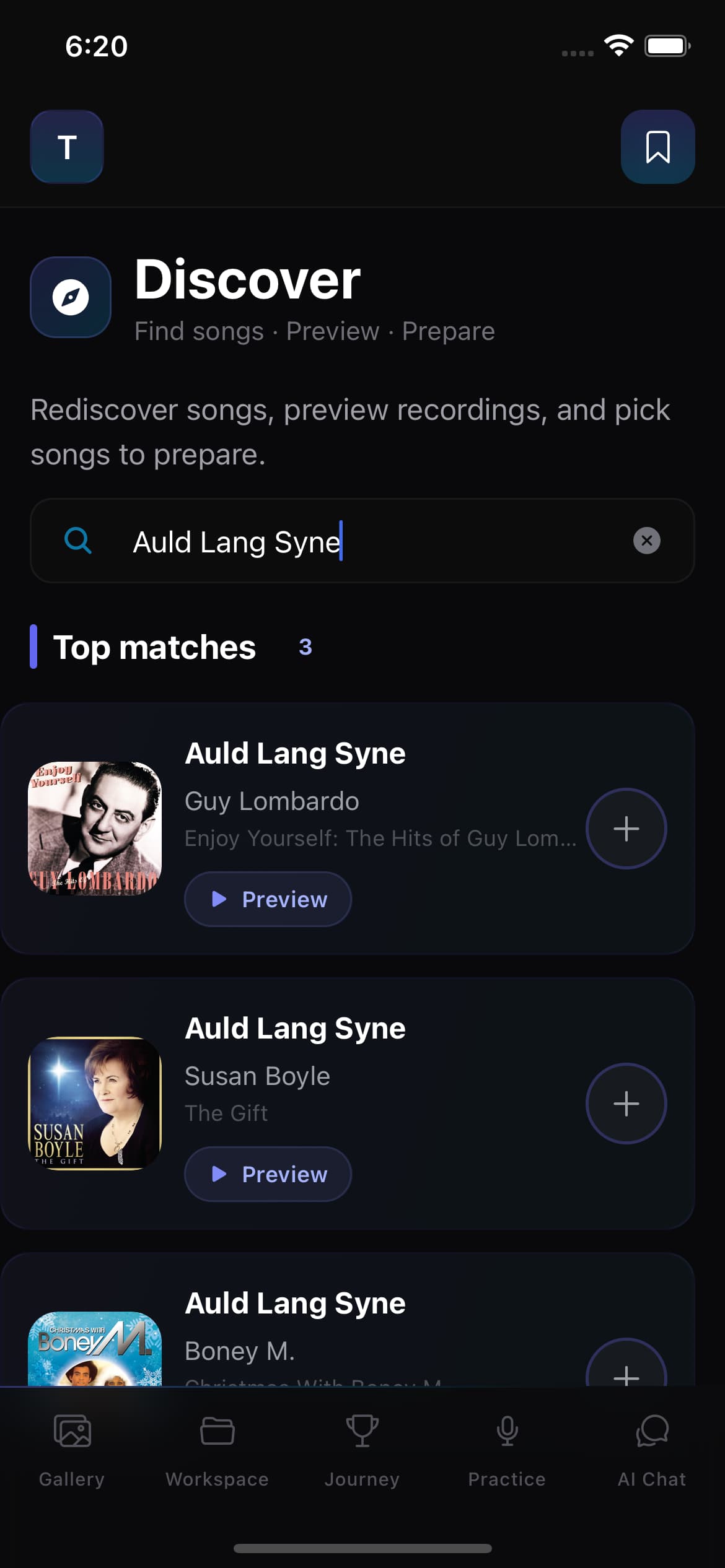
Search all types
Songs, artists, albums, playlists
Preview recordings
Play before you commit
Batch preparation
Shortlist and prepare many at once
Save to Gallery
Approved drafts go straight in
See the real mobile workflow at natural speed: search the catalog, preview and select a song, start preparation, wait for the draft, review the result, and approve it for your Gallery.
Discover turns song search into an owned, reusable singer songbook. Search, shortlist, prepare, review, and save — all inside one app, all connected to your Gallery.
Type a song, artist, album, or playlist. Preview a recording before you commit.
Select multiple songs at once. Save them to a shortlist for later.
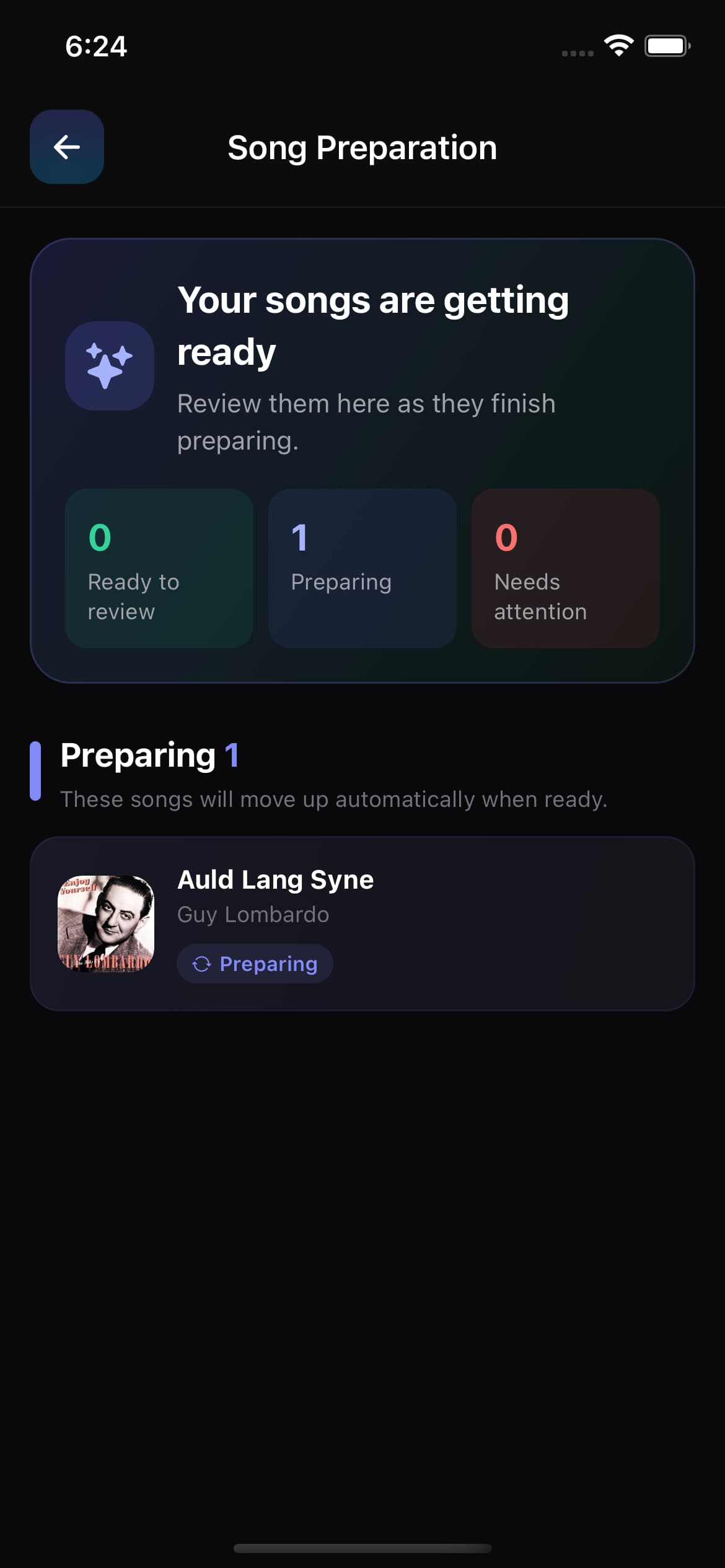
Start a background job. AI prepares a draft with title, key, scale, lyrics, and chords.
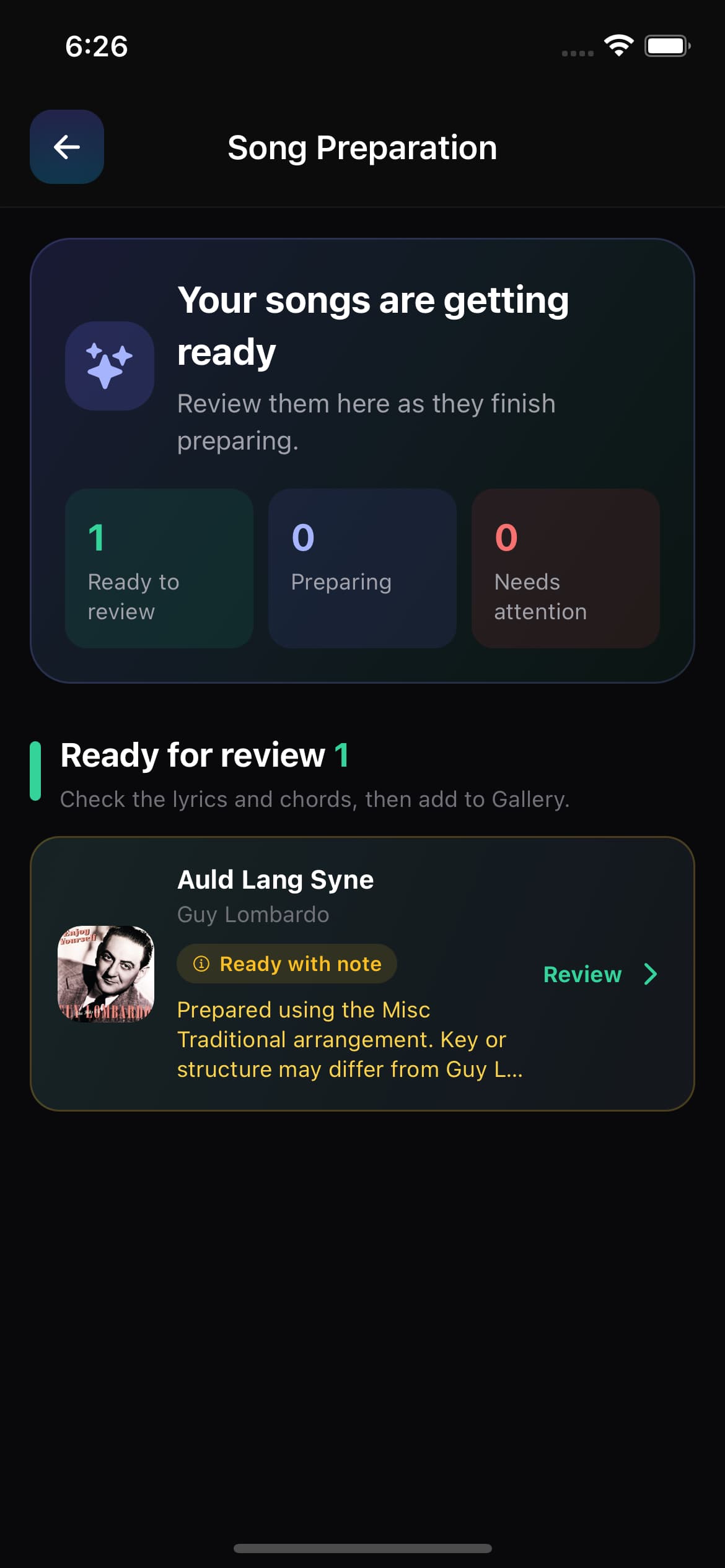
Open the draft, check every field, edit what needs changing.
Approve the draft and it goes straight into your Gallery songbook.
Type a song title, artist name, album, or playlist. Results show song artwork, artist, album, and a preview button. Play a short clip, check alternate arrangements, and view related songs from the same album or artist.
One search bar covers every catalog resource type.
Play a clip from the search results before you select a song.
See album tracks, artist top songs, and alternate arrangements.
Shortlist several songs at once, then prepare them together.
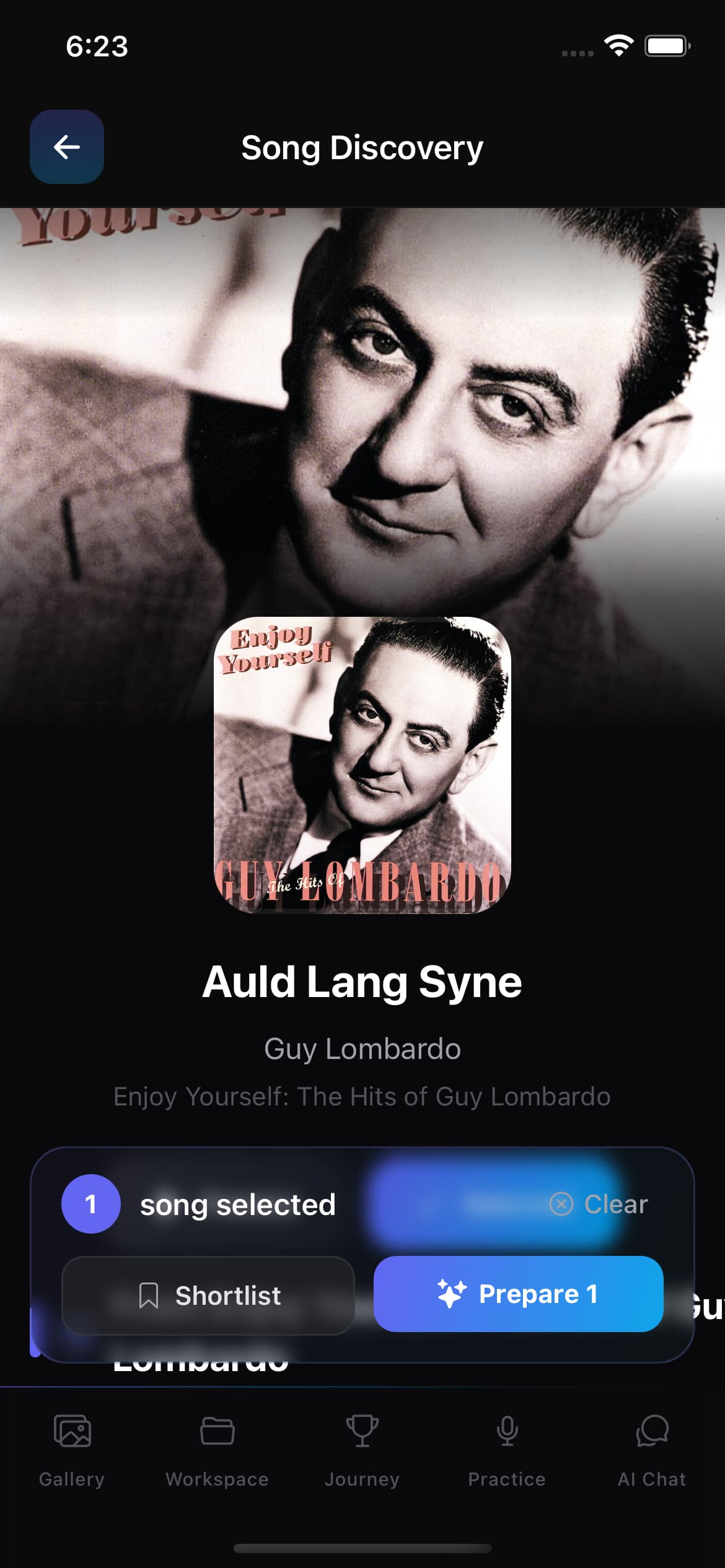
Select several songs from your search or open your saved shortlist, then start a background preparation job. Each song moves through the queue independently — you do not have to wait on one before starting the next.
The job is waiting to start.
AI is searching for the song details.
A draft is waiting for your approval.
The job failed. Try again or add the song manually.
Preparation runs in the background. You can keep searching, previewing, or using the app while each song moves through the queue.
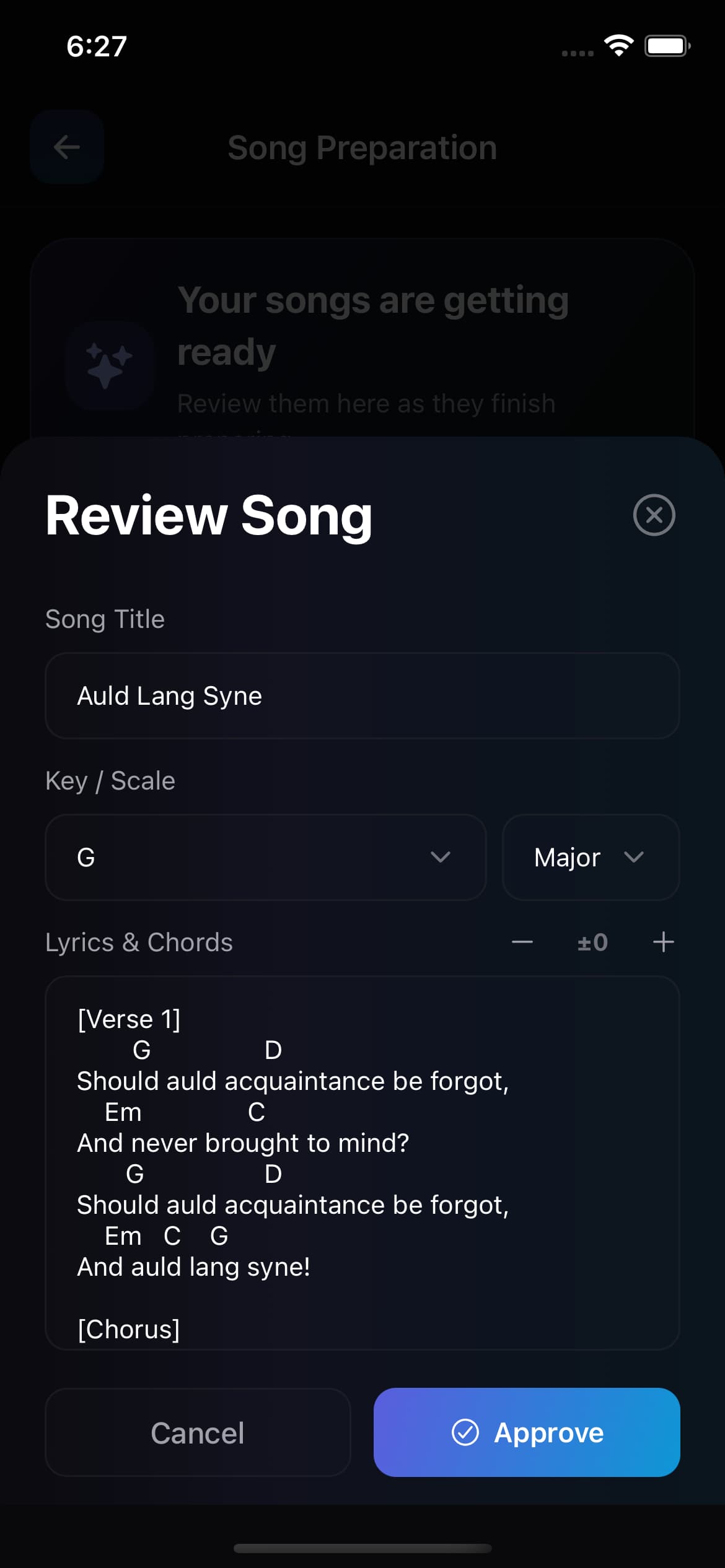
When preparation finishes, you get a draft with the fields a singer needs. Check every field, edit what looks wrong, and approve it only when you are confident. Availability and accuracy vary, so the draft is never stage-ready until you say so.
Title
The song name, ready to edit.
Key
The detected musical key.
Scale
Major or minor.
Lyrics & chords
The chord sheet content for reading mode.
Capo
Capo position when detected.
AI-prepared content is a Prepared Song Draft. Availability and accuracy vary — always review before saving or using it while singing. Alternate arrangements may match the original recording rather than the version you selected.
Discovery searches a real catalog, but not every song will be available or accurately prepared. The workflow is the value: finding a song, getting a head-start draft, reviewing it, and saving it to your songbook — without the browser tabs and copy-paste. If a job fails, you can still add the song manually to your Gallery.
Understand how catalog search and AI-prepared drafts fit into a singer's songbook workflow.
A song discovery app helps singers find, collect, and organize songs they want to learn, practise, or perform. In Singers AI, you can search the catalog, preview recordings, shortlist songs, prepare editable drafts, and save approved songs to your Gallery songbook.
Select a song and start preparation. Singers AI creates a Prepared Song Draft with fields such as title, key, scale, lyrics, chords, and capo when available. You review and edit the draft before saving it.
Yes. You can preview recordings, select several songs, save them to a shortlist, and start background preparation jobs while continuing to use the app.
No. Song availability and preparation accuracy vary, and alternate arrangements may differ from the selected recording. Always review the key, scale, lyrics, chords, and other fields before saving or using a draft.
Search a song, prepare a draft, review it, and save it to your Gallery — all in one connected workflow.


We use Google Analytics to see what helps singers. No ads/targeting cookies, and declining won't limit access. Cookie Policy.
We use Google Analytics 4 to see which pages and features singers use so we can improve Singers AI. It stores a cookie on your device and remembers your choice for up to six months.
We do not use advertising or targeting cookies. Declining does not limit access to any content or app-store links. See our Cookie Policy.