Save your own material
Add original songs or material you have the right to use—without waiting for AI.
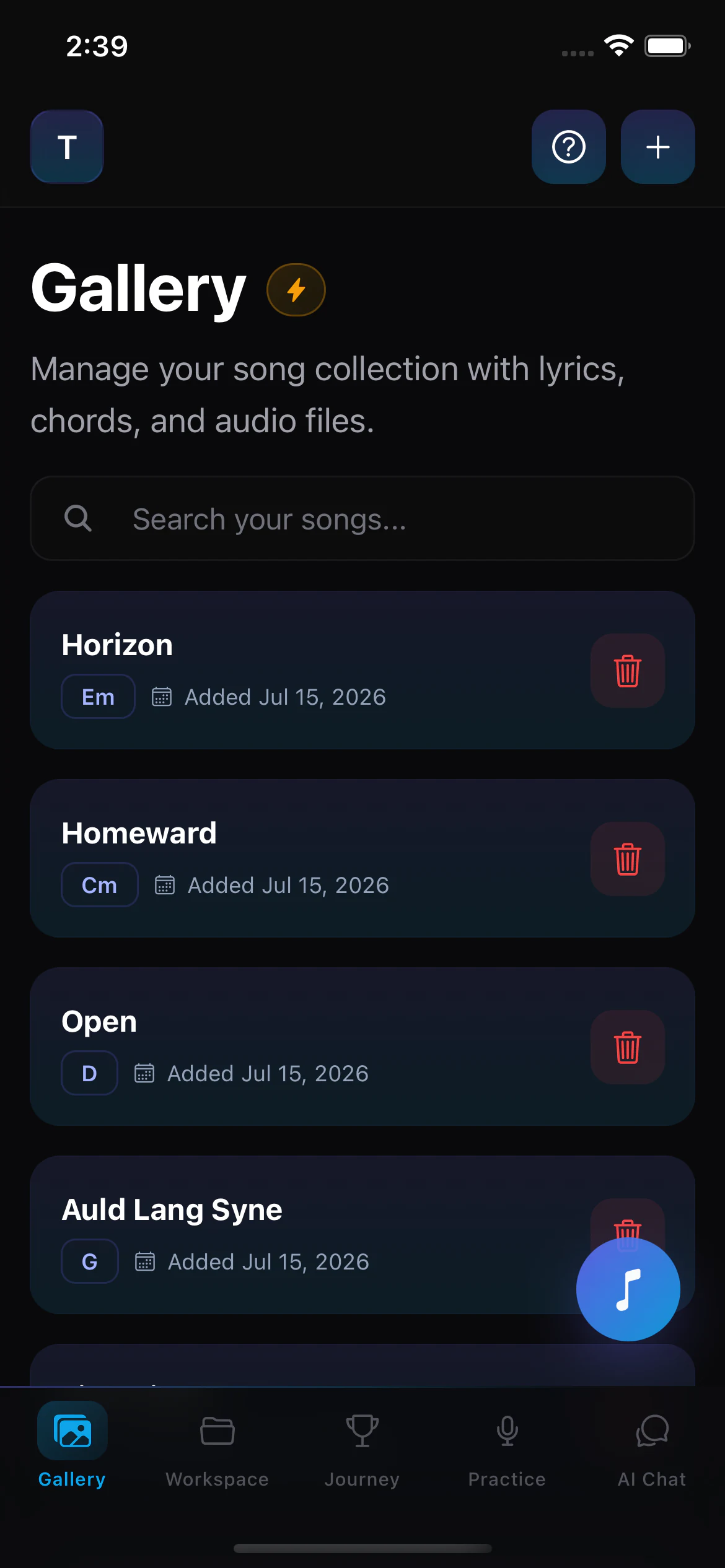
Build your singer songbook with lyrics, chords, keys, scales, and notes together in one searchable Gallery.
Prepare a song draft with AI, review it, then open a clean auto-scrolling view when it is time to sing.
AI preparation
Search, review, save
12-key filters
Major and minor
Transpose
-6 to +6 semitones
Auto-scroll
Five speed settings
Paper sheets get lost. Browser tabs multiply. The lyrics are in one place, chords in another, and the key you actually sing is buried in a message. A songbook app for singers should bring those details together before the first note.
Add original songs or material you have the right to use—without waiting for AI.
Search the Gallery and narrow your songbook by individual key, major, or minor.
Keep the lyrics, chords, key, and scale together when it is time to practise or perform.
AI Search can prepare the title, key, scale, lyrics, and chords. You stay in control: review the result, edit what needs changing, then save it to your Gallery.
Enter a song title in AI Search.
Get a draft with key, scale, lyrics, and chords.
Check and edit every field before relying on it.
Add the approved song to your songbook.
AI-prepared content is a Prepared Song Draft. Availability and accuracy vary, so always review before saving or using it while singing.
Each saved song carries the musical context you need to find it, prepare it, and sing it again.
Add original songs, lesson material, or charts you already own.
Browse all 12 keys or quickly view major and minor songs.
Shift imported chords from -6 to +6 semitones before saving.
Link songs into flexible groups without removing them from your Gallery.
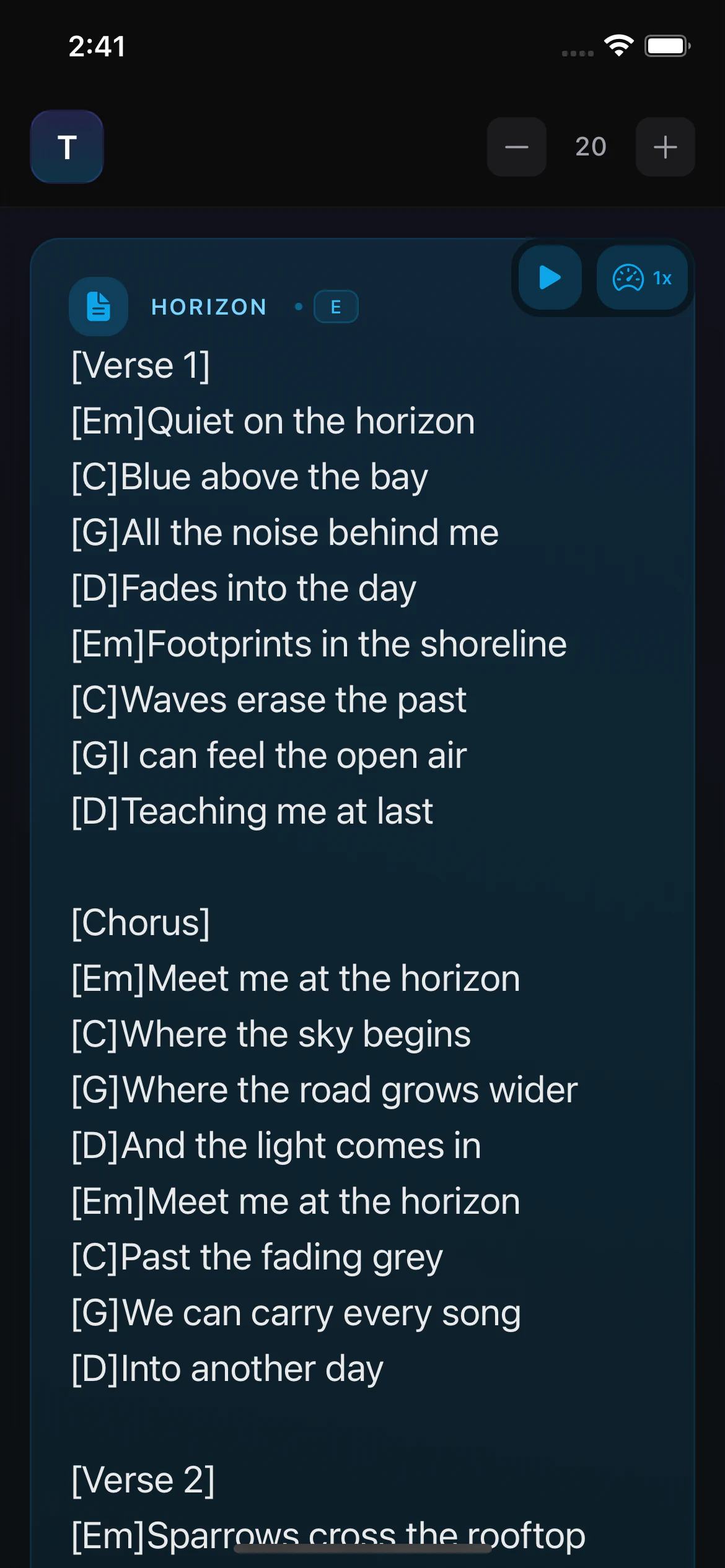
Open a focused lyrics-and-chords view, adjust the text size, choose one of five scroll speeds, and keep your hands free while you sing.
Increase or decrease the reading size for the way you use your phone.
Choose 1×, 1.25×, 1.5×, 1.75×, or 2× scrolling speed.
Follow the words without losing the chord changes above them.
A prepared draft is a starting point. Check the title, key, scale, lyrics, and chords; edit anything that looks wrong; and approve it only when you are confident.
A practical song practice app should help you organize the material you use and move from preparation to singing without rebuilding the song.
A digital songbook app keeps the songs you practise in one searchable place. In Singers AI, the Gallery stores each song with its title, key, scale, lyrics, chords, and notes so you can return to the same prepared version.
Yes. You can manually add original songs, lesson material, or other content you have the right to use. You can also review and edit an AI-prepared song draft before saving it to your Gallery.
Use key and scale filters to find a saved song, open its focused lyrics-and-chords reading view, adjust the text and auto-scroll speed, or continue into the Song Practice Workspace when you need key, speed, and loop controls.
You can transpose an imported chord sheet from six semitones down to six semitones up before saving the prepared version. Always review the resulting key, lyrics, and chords before relying on them.
Build a singer-focused digital songbook, review every song, and open it when you are ready to practise or perform.