Pa–Sa loops
Authentic tanpura recordings across all 12 pitch classes.
Choose a Sa you can hold, see each note as a Sargam swara, and play Tanpura recordings in any of 12 keys — with real-time pitch feedback on the same screen.
Try the free online Tanpura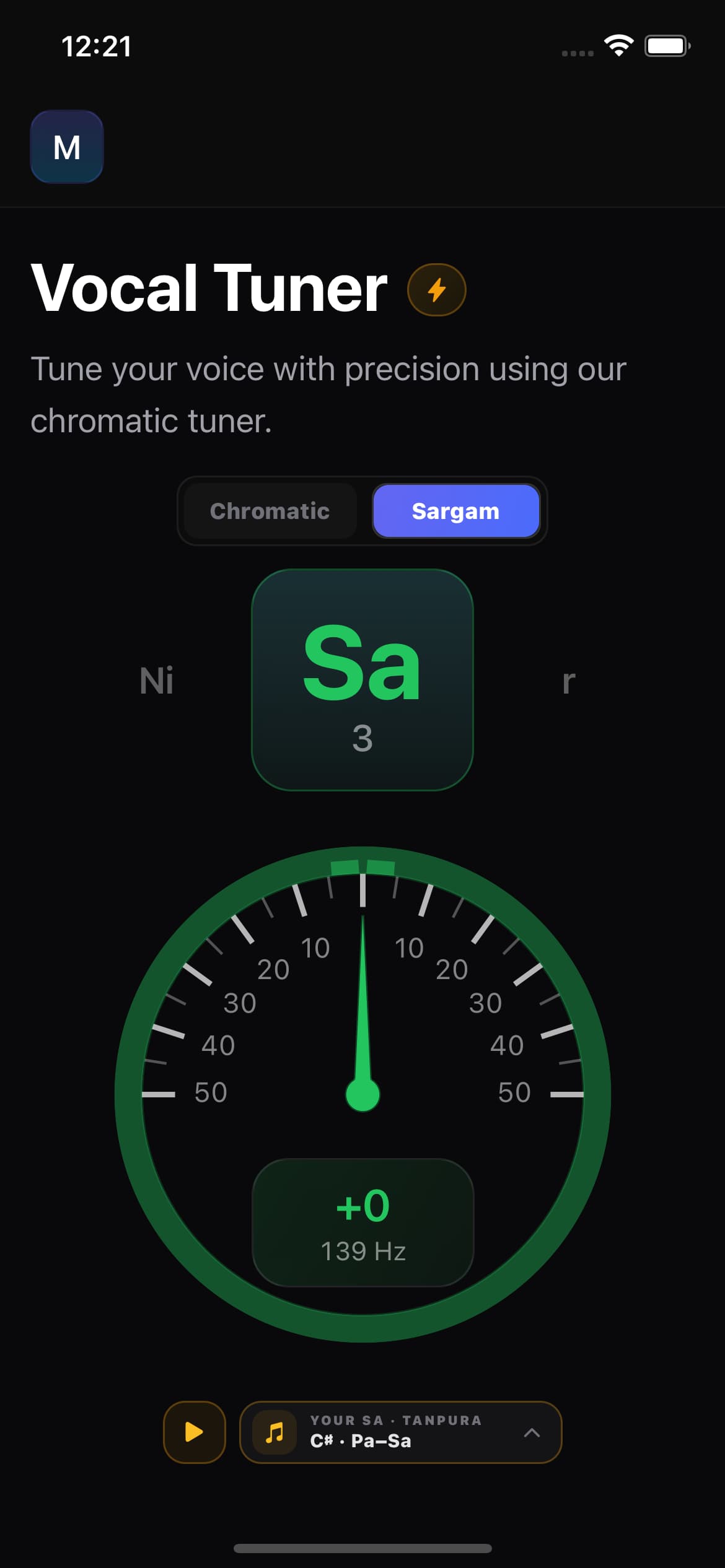
12 swaras
Sa through Ni, komal & tivra
Sa saved on device
Keeps between sessions
12 Tanpura keys
Pa–Sa loops
Headphone safety
Auto-stops the drone
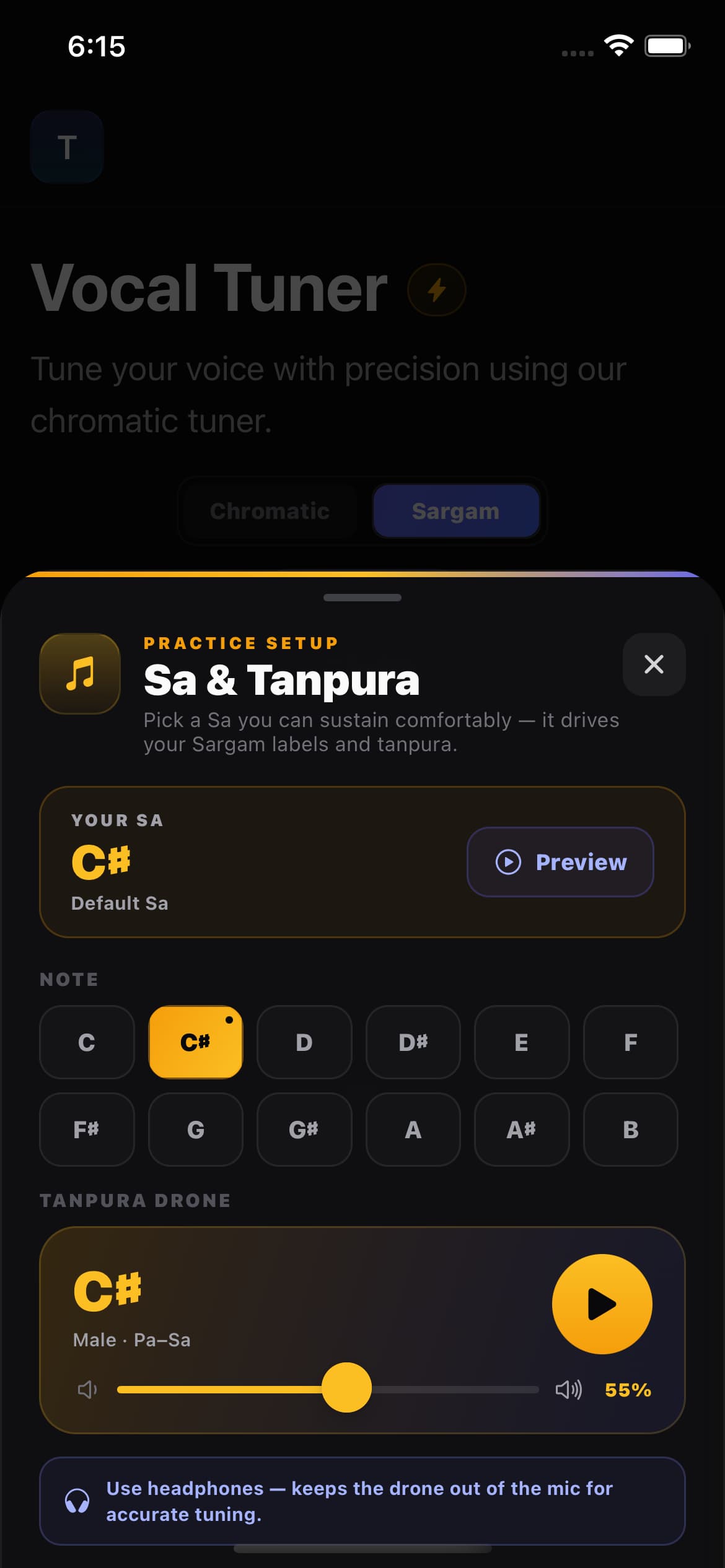
Choose a Sa you can sustain comfortably — the default is C♯3. In Sargam mode every pitch you sing is named as a swara relative to that Sa, just like movable-do. Your choice is saved on the device and is ready the next time you open the tuner.
Pick the note you can sustain comfortably. It becomes your Sargam root.
Every pitch you sing is labelled as a swara relative to your Sa.
Play the Tanpura in your Sa and sing your riyaz against it.
The meter shows how sharp or flat you are in cents, in real time.
Preview your Sa with a reference tone before you commit to it, or reset to the default C♯3 at any time.
Sargam mode maps the 12 chromatic semitones onto Indian swaras, including komal (flattened) and tivra (sharp) variants, so the names match how you learn and teach.
Sa
Root (your Sa)
r
Komal Re
Re
Shuddh Re
g
Komal Ga
Ga
Shuddh Ga
Ma
Shuddh Ma
M
Tivra Ma
Pa
Shuddh Pa
d
Komal Dha
Dha
Shuddh Dha
n
Komal Ni
Ni
Shuddh Ni
Need standard Western note names instead? Switch to Chromatic mode (C, C♯, D…) with one tap — the meter keeps running.
Play Pa–Sa Tanpura loops in any of the 12 keys. In Sargam mode the drone follows your Sa automatically. Switch to Chromatic mode when you want Western note names and an A2–C5 piano reference instead of the Tanpura setup.
Authentic tanpura recordings across all 12 pitch classes.
Pick the Tanpura key that matches the Sa you want to practice.
Set the drone level from 0 to 100% in 1% steps.
The app detects your output route and keeps the drone out of the mic.
All 12 Tanpura keys
The meter tracks your voice in real time. The green in-tune zone and drift arrows help you correct before you hear it.
A smooth needle across a ±50 cent scale, with marks every 10 cents.
Live pitch detection names the note, octave, and cents offset as you sing.
Hear the correct pitch for the note you just sang with a built-in reference tone.
Set one comfortable root, practise Indian swaras, and use the Tanpura drone and live tuner together.
A Tanpura app provides a steady drone for vocal or instrumental practice. Singers AI plays Pa–Sa Tanpura recordings in all 12 keys and connects the selected drone to your saved Sa.
Yes. Choose your Sa and switch to Sargam mode to see each detected pitch as an Indian swara, including komal and tivra variants, while the live meter shows whether you are sharp or flat.
Yes. Pick a Sa you can sustain comfortably and preview its reference tone. The Tanpura follows that Sa in Sargam mode, and your selection is saved on the device for your next riyaz session.
Yes. You can sing against the Tanpura while watching the real-time pitch meter. Use headphones so the drone stays out of the microphone and the tuner can focus on your voice.
Pitch detection is a practice aid. Use headphones so the Tanpura drone stays out of your microphone, and treat the cents reading as a guide while you build accuracy over time. The first Tanpura sample in each key downloads once, so allow a moment on first use.
Start with Sa Re Ga Ma, then use daily alankars to practise each swara against the Tanpura and tuner.
Understand the seven swaras, choose a comfortable Sa, and start practising with a drone and tuner.
Use 10 standard ascending and descending patterns for a practical daily riyaz session.
See how I combined a comfortable practice key, Sargam, Tanpura, and the Vocal Tuner while learning songs.
Prepare a song and keep its key and scale before you tune.
Move a track into your vocal range, then check your pitch.
Prefer Western note names? See the chromatic tuner view.
Choose your Sa, play a recorded Pa–Sa drone, and optionally practise against the Sargam meter without signing up.
Open Online Tanpura & Shruti BoxSet your Sa, name your swaras, and sing against a real Tanpura drone — with cents-level pitch feedback on one screen.